Google has already rolled out four betas of Android 17, offering a glimpse into the upcoming version’s features and improvements. These updates include some exciting new functionalities as well as enhancements to existing tools, making the operating system more versatile and user-friendly.
As the stable release of Android 17 approaches, here are eight features or upgrades that are worth looking forward to:
1. A native app lock, finally
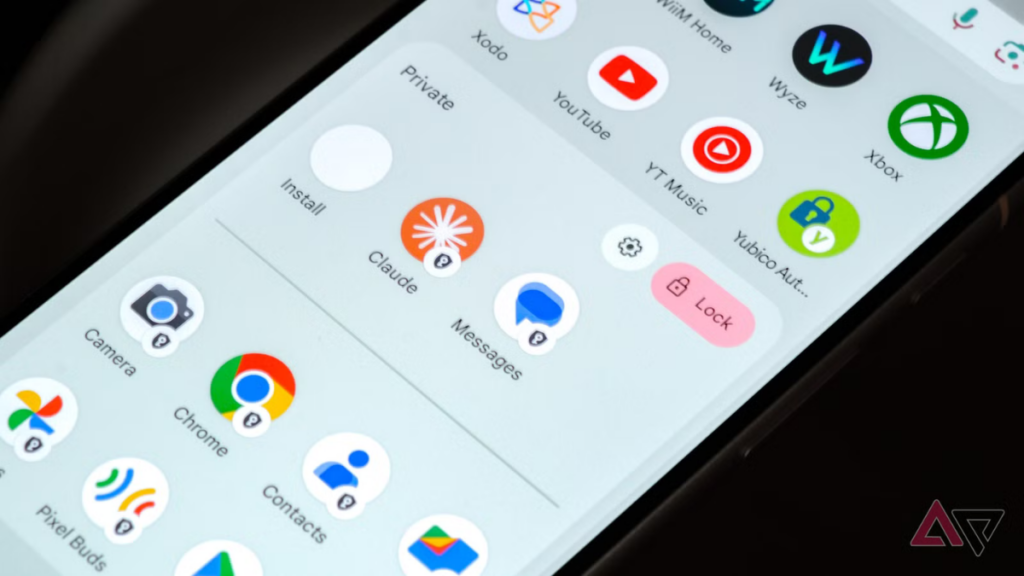
Google is introducing a built-in app lock feature that allows users to secure individual apps directly from the home screen. By long-pressing an app icon, users can select the “App lock” option from the quick menu. This feature supports PINs, patterns, passwords, and biometric authentication like fingerprint or face unlock. Unlike third-party solutions, this built-in option ensures that notifications, shortcuts, and widgets for locked apps remain hidden.
Google notes that AI features like Gemini’s screen automation might still interact with apps based on permissions. Users will also be alerted if other apps have access to the one they’re locking. While most Android skins already offer this functionality, it’s a welcome addition for Google Pixel devices.
2. Floating app bubbles make multitasking easier
The bubble feature, which was previously limited to messaging apps, is now expanded in Android 17 to allow any app to be converted into a floating bubble. For example, while watching a YouTube tutorial, you can turn Google Keep into a floating bubble for easy access. Tapping the bubble opens the app in a small window, allowing you to continue watching the video in full screen.
This feature is especially useful on large-screen devices such as foldables or tablets, where more screen space is available. Closing an app bubble is as simple as dragging it to the bottom of the screen.
3. A more powerful screen recording with a preview screen
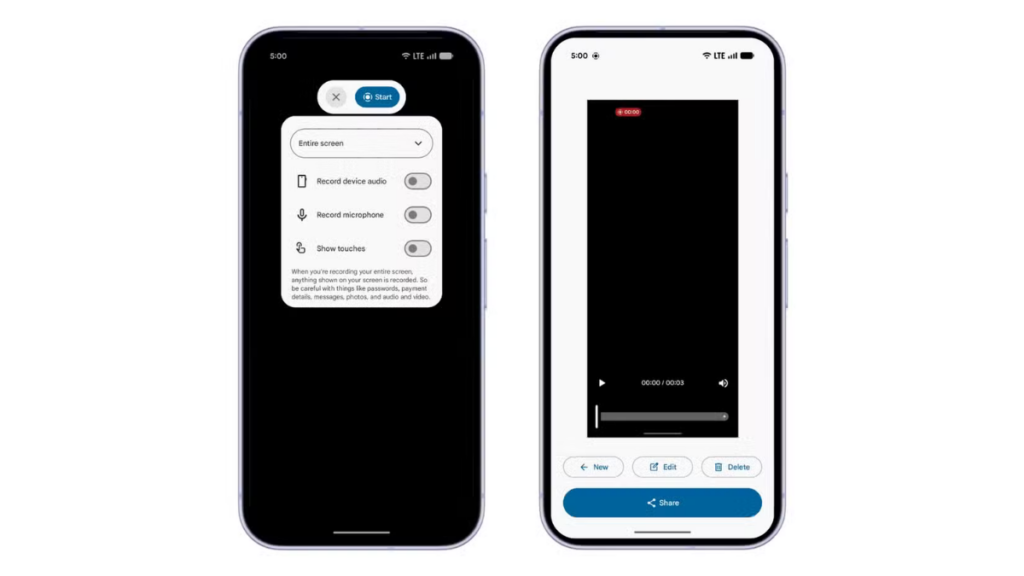
Android 17 introduces an improved screen recording experience with a refined UI and a new preview screen. When you tap the screen recording tile in Quick Settings, a floating pill interface appears, letting you choose what to record, whether to capture device audio or microphone input, and whether to show touches. You can also access the floating pill UI by tapping the status indicator in the status bar.
Once the recording ends, a preview screen appears, allowing you to play, edit, delete, or share the clip without opening the gallery.
4. Mandatory Large-Screen Adaptivity
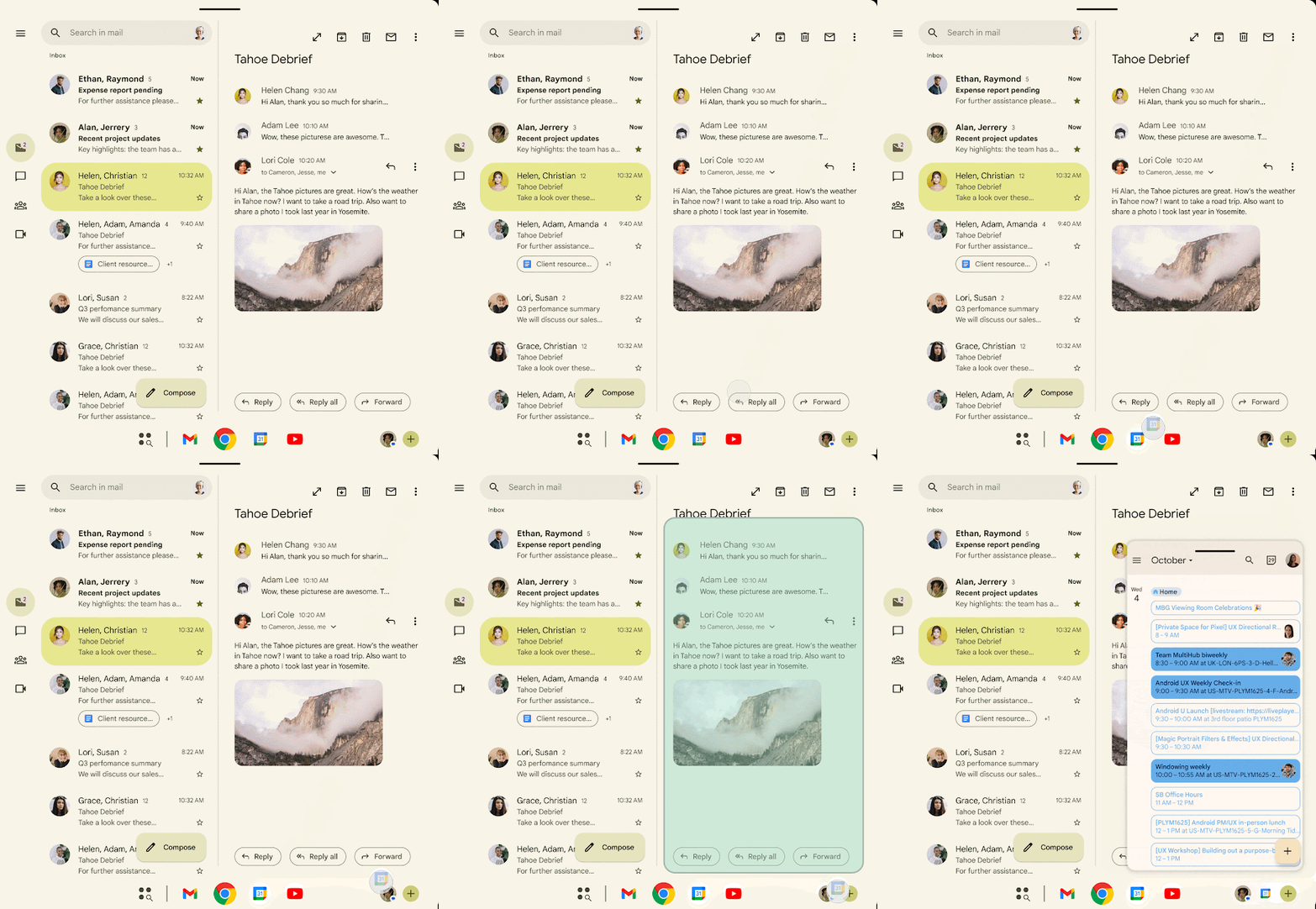
Google is enforcing stricter policies on app resizability and orientation for large-screen devices (sw ≥ 600dp). This means developers can no longer restrict apps to a single orientation on tablets or foldables. Previously, portrait-locked apps would appear as narrow windows on landscape tablets, but in Android 17, they will rotate to fill the screen, providing a better user experience.
Games are exempt from these changes to ensure smooth gameplay. Google began phasing out orientation restrictions with Android 16, but Android 17 makes this mandatory, eliminating the option for developers to opt out.
5. Hide app names on the home screen
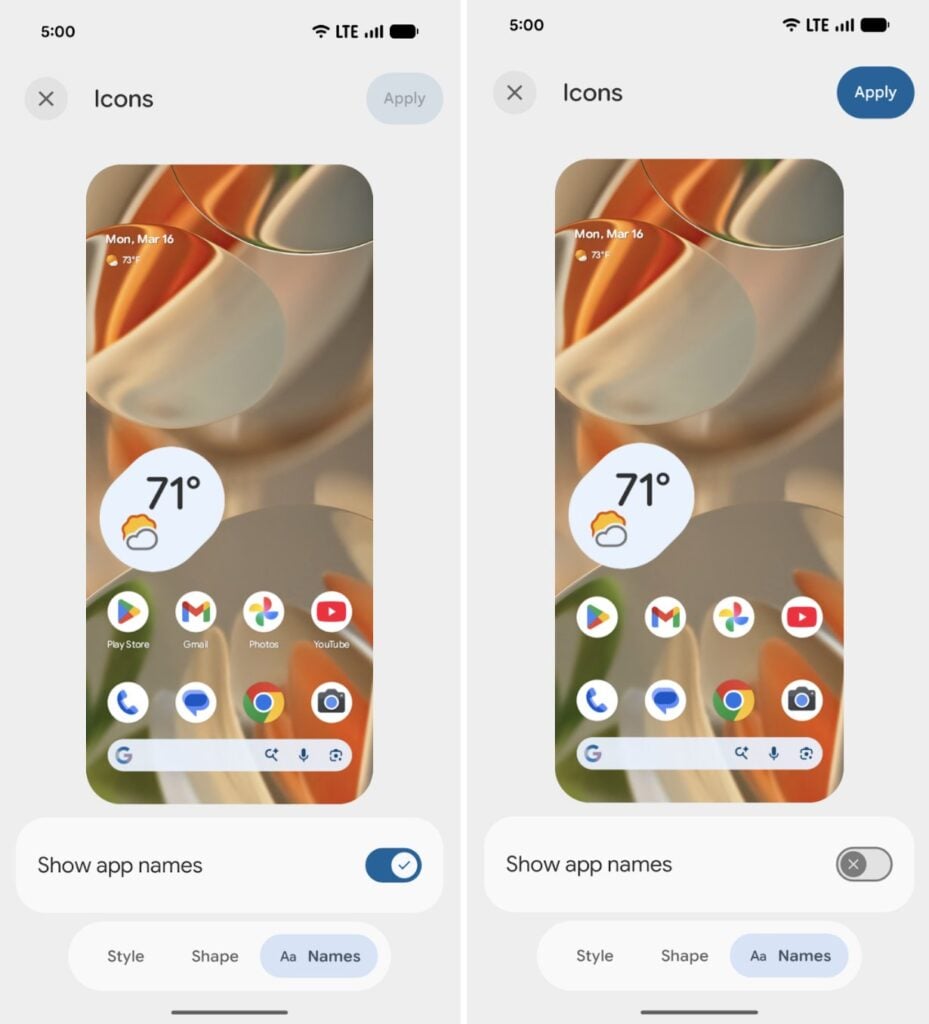
In Beta 3, Google introduced a feature that lets users hide app labels on the home screen. To do this, go to Wallpaper & style, tap Home screen, select Icons, then tap the Names tab at the bottom and turn off the Show app names toggle. This change won’t affect the app drawer or folders.
6. Separate Wi-Fi and mobile data toggles
On Pixel devices running Android 16 or earlier, switching between Wi-Fi and mobile data required navigating through Quick Settings. Android 17 simplifies this process by allowing users to add separate toggles for Wi-Fi and mobile data. This change is particularly beneficial for Pixel users, as many other Android skins already include this feature.
7. Give apps limited access to your contacts
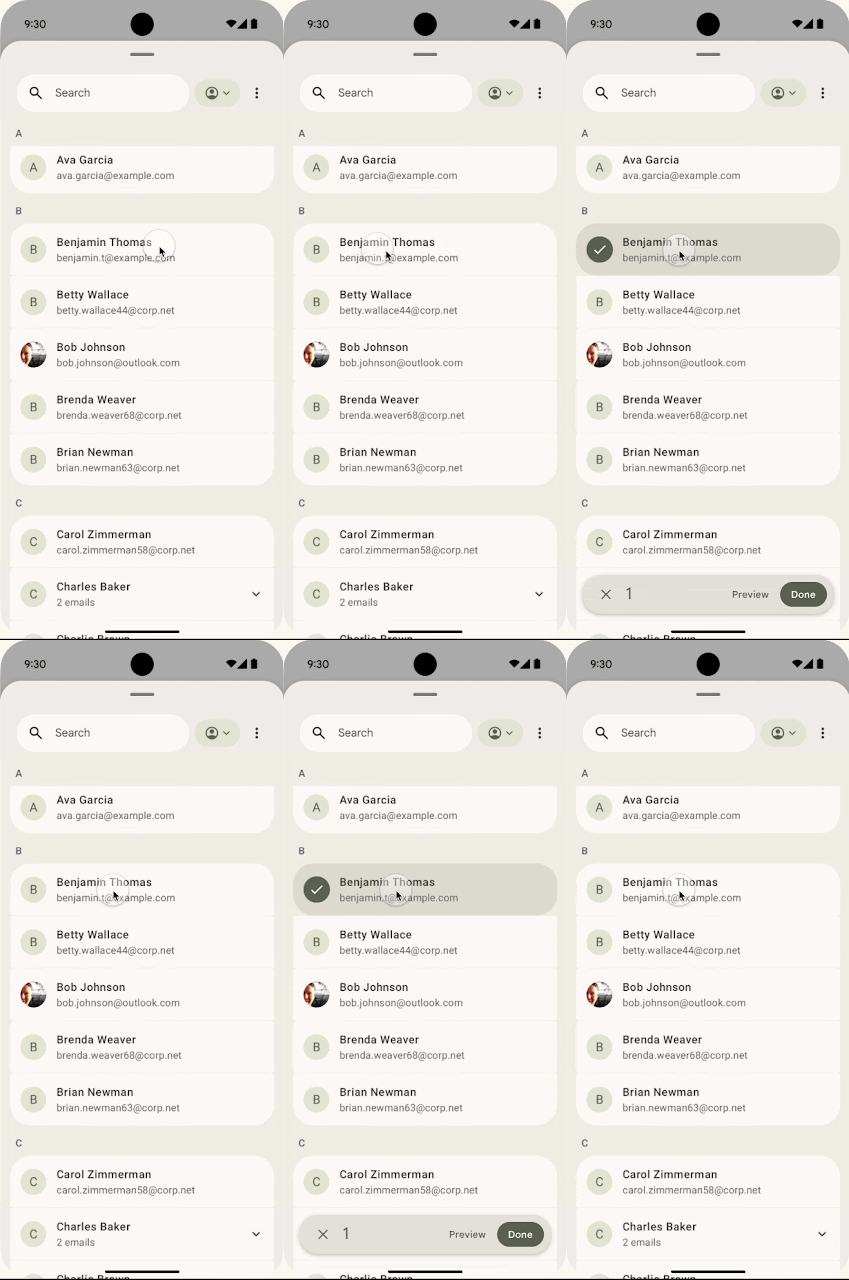
Currently, granting contact permissions gives apps access to all contacts. Google is changing this with a new Contact Picker interface that allows users to select specific contacts to share with an app. The access is temporary and session-based, requiring reauthorization after each session. This enhances privacy and prevents apps from tracking contact changes.
8. Seamless task continuity on another device
Google is developing a “Task Continuity” feature that enables users to sync notifications, share files, and continue apps across linked Android devices. This feature could allow transferring an app’s current state from one device to another. The Handoff API in Android 17 Beta 2 supports this functionality, enabling developers to specify the application state to resume on another device.
Final build may not include all of them
While many features are available in the beta versions, Google often omits some from the final release. However, there’s a good chance that several of these features will make it to the stable version. If you’re interested in testing them, you can use an eligible Google Pixel device or wait for the official release, expected around June 2026.
Stay tuned for regular updates on the Android 17 section of this website or join our Telegram channel for instant news.